Samsung Good Lock transforms the user experience for Samsung smartphone owners, offering an unparalleled suite of customization tools. This powerful utility empowers individuals to meticulously personalize their device’s interface, from the lock screen aesthetics to the navigation bar layout, making daily interactions more intuitive and reflective of personal style. It’s designed to enhance convenience and unlock deeper levels of device control.

Samsung Good Lock
Samsung Electronics Co., Ltd.
Download
29.39 MB
Samsung Good Lock Screenshots
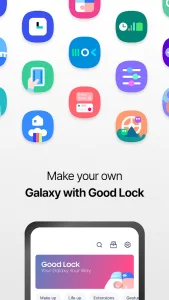
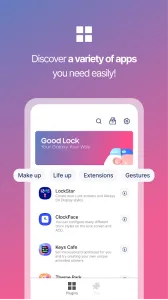
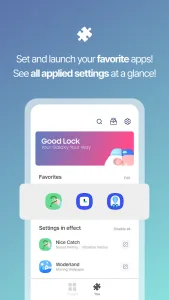
1 / 4
29.39 MB
Size
3.0.14.2
Version
7+
Android
Universal
Arch
About Samsung Good Lock
Samsung Good Lock transforms the user experience for Samsung smartphone owners, offering an unparalleled suite of customization tools. This powerful utility empowers individuals to meticulously personalize their device’s interface, from the lock screen aesthetics to the navigation bar layout, making daily interactions more intuitive and reflective of personal style. It’s designed to enhance convenience and unlock deeper levels of device control.
Unrivaled UI Customization
This robust tool provides extensive options to tailor core elements of your phone’s interface. Users can redesign the Quick Panel, fine-tune the status bar, and even revamp the notification shade to better suit their workflow and visual preferences. It’s about crafting an environment that feels uniquely yours, enhancing both aesthetics and functionality.
Dynamic Lock Screen Styles
With dedicated modules like LockStar, users gain complete creative freedom over their lock screen and Always On Display (AOD). Beyond just wallpapers, you can design entirely new layouts, reposition elements, and integrate widgets, transforming a static screen into a dynamic information hub. This level of personalization ensures your device makes a statement even before unlocking.
Personalized Navigation Bar
NavStar, another key component, allows for precise control over the navigation bar. You can rearrange buttons, add new functions, or even change their icons and colors to match your theme. This flexibility means essential actions are always within easy reach, streamlining navigation and improving overall usability on your Samsung device.
Advanced Multitasking Features
Beyond just visual tweaks, the platform significantly enhances productivity with advanced multitasking capabilities. Users can manage multiple applications more efficiently, optimizing screen space and workflow for complex tasks. This makes switching between apps seamless and significantly boosts productivity for power users.
Audio and Routine Control
The utility extends to refining audio experiences and automating device behaviors. Users can gain finer control over sound settings for different apps and scenarios, ensuring an optimal listening experience. Furthermore, it enables the creation of custom routines, automating tasks based on specific conditions, making your smartphone proactively adapt to your daily life. Samsung Good Lock truly elevates how users interact with their device’s hidden potentials.
Expressive Clock Faces
ClockFace offers a diverse gallery of clock styles for both the lock screen and AOD. Whether you prefer minimalist digital displays or intricate analog designs, there’s a style to match every aesthetic. This allows for quick, impactful visual changes that contribute significantly to the overall personalized feel of your device.
Frequently Asked Questions
No, it is primarily designed for Samsung Galaxy smartphones running specific versions of Android. Availability can vary based on region and device model, so it’s always best to check compatibility for your particular device.
The primary benefits include extensive UI customization, enhanced lock screen and Always On Display personalization, and improved multitasking capabilities. It allows users to tailor their device’s look and feel, making it more efficient and unique to their preferences.
Yes, certain modules within the suite allow for keyboard customization. Users can modify layouts, themes, and even add specific functionalities to their virtual keyboard, providing a more personalized and comfortable typing experience.
Generally, the impact on performance is minimal. The modules are well-optimized to integrate seamlessly with Samsung’s One UI. However, extensive use of complex animations or very resource-intensive settings might have a slight, negligible effect on battery life in some cases.
Additional APP Information
Package Name
com.samsung.android.goodlock
Developer
Samsung Electronics Co., Ltd.
Category
Signature
9ca5170f381919dfe0446fcdab18b19a143b3163
Get it On

You are now ready to download Samsung Good Lock for free. Here are some notes:
- Please read our APK Info and installation instructions carefully for the game & app to work properly
- Read the FAQ carefully for more details
4.5/5 (24 votes)